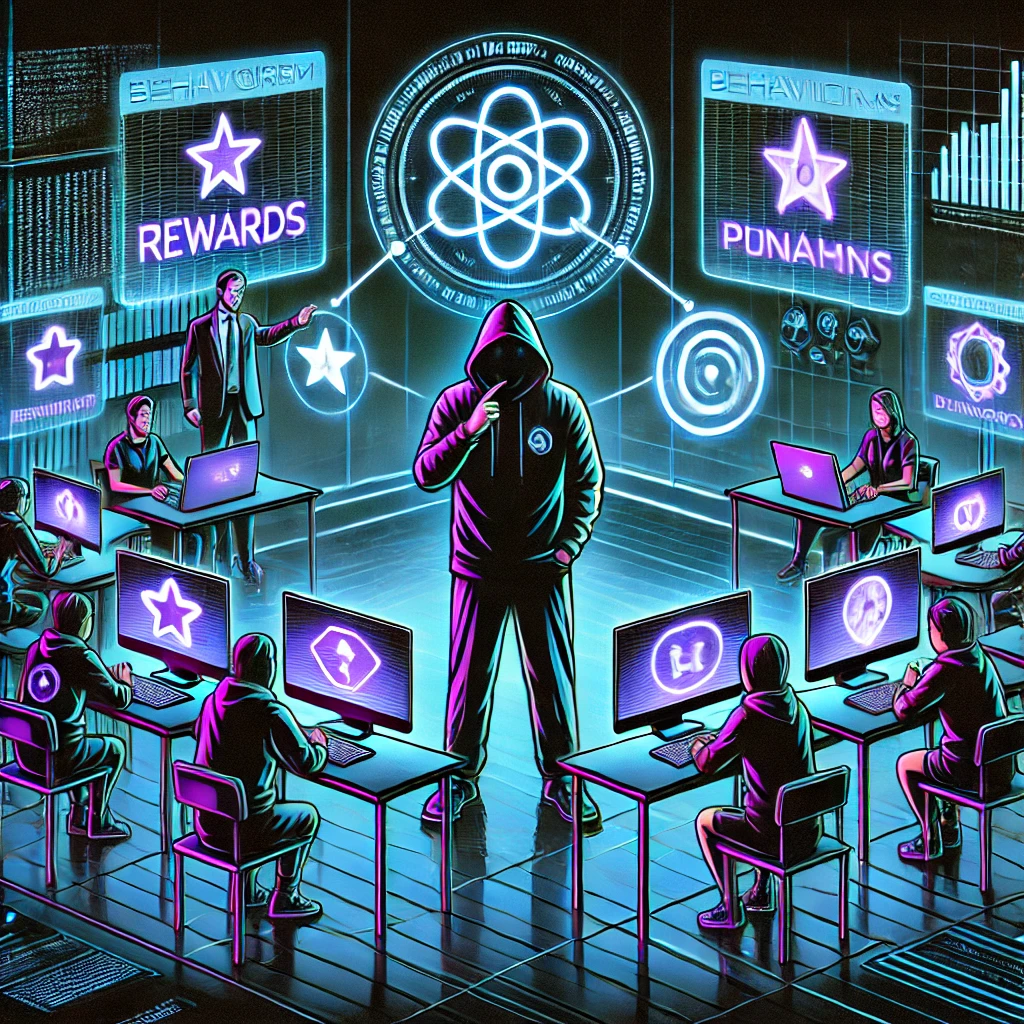
It is Monday morning and fifty alerts are waiting for you. A few of them matter a great deal. Some are the same event reported twice by two different sensors. Some are nothing at all. Nobody is going to tell you which is which.
That is the job of a security analyst, and it is very hard to teach from a slide. A static case file does not help much either, because every log line printed in it is there for a reason, and students know it.
Nobody is going to tell you which alerts matter. Working that out is the job.
So I built a security operations centre (SOC) for my students to sit in. It is called Nordvakt, which is roughly Norwegian for northern watch, and I use it in UC3AIR10 (Advanced Incident Response), a third-year course on our Bachelor in Digital Forensics and Incident Response at Noroff University College.
Meet Nordvakt
Nordvakt is a SOC in a browser, built around a fictional company that is having a very bad week. Every scenario comes with its own network of hosts, a few hundred lines of logs, a queue of alerts, memory images, packet captures and threat intelligence. Students log in as analysts and get the same kit a real SOC would give them:
- an alert queue with severities, detection sources and MITRE ATT&CK mappings
- a log viewer that searches and filters every event and exports to CSV
- an asset inventory with a page of evidence for every host
- a forensic console that answers Volatility and tshark commands against each host’s memory and network capture
- threat intelligence lookups for IP addresses and domains
- a case workspace for observables, evidence, notes, a timeline and the final incident report
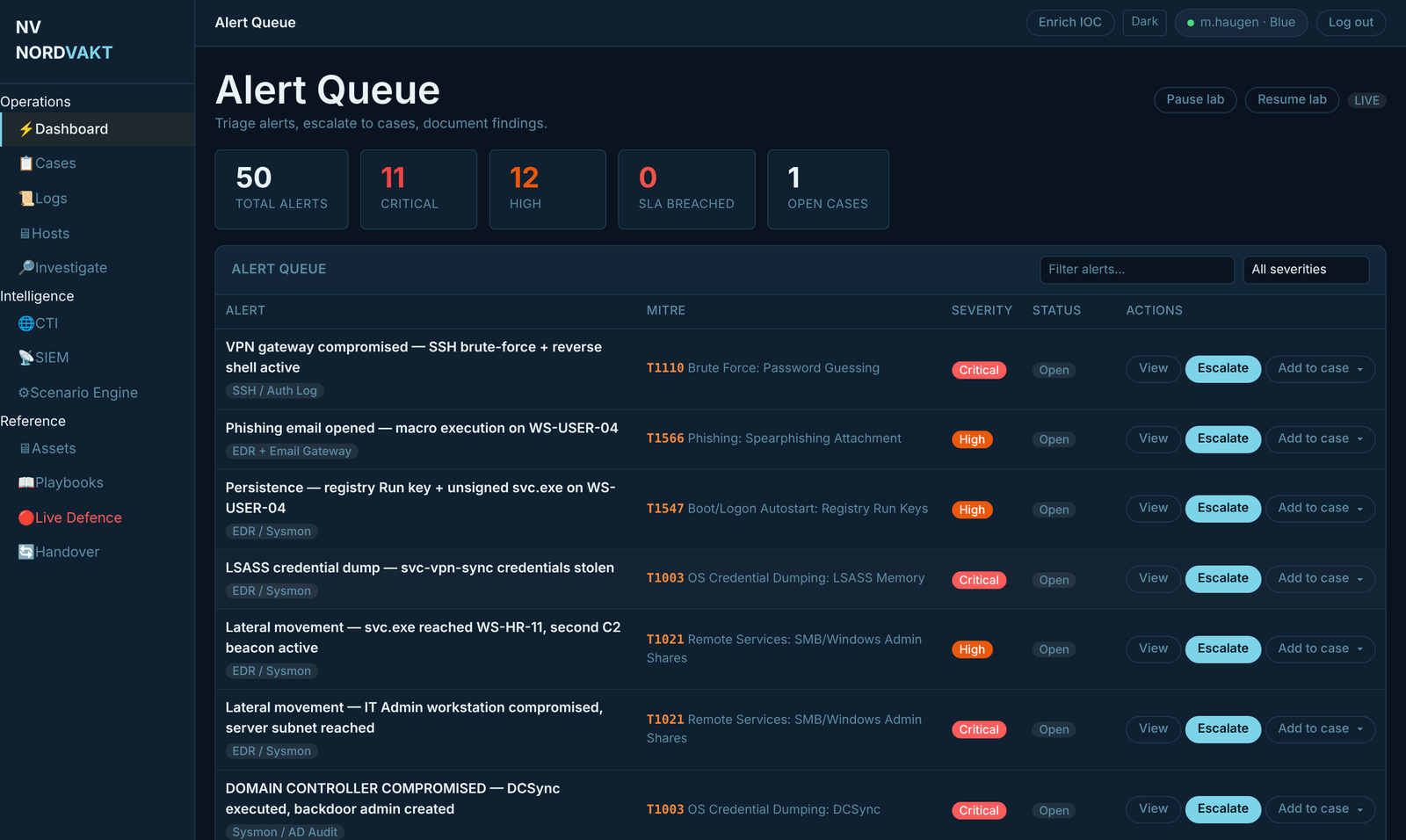
Every student gets a private copy of the whole incident. Thirty people can chase the same attacker through the same network at the same time, and nobody can see, or spoil, anyone else’s work.
Your shift, one phase at a time
A case follows the incident response lifecycle, and the platform will not let anyone skip to the end.
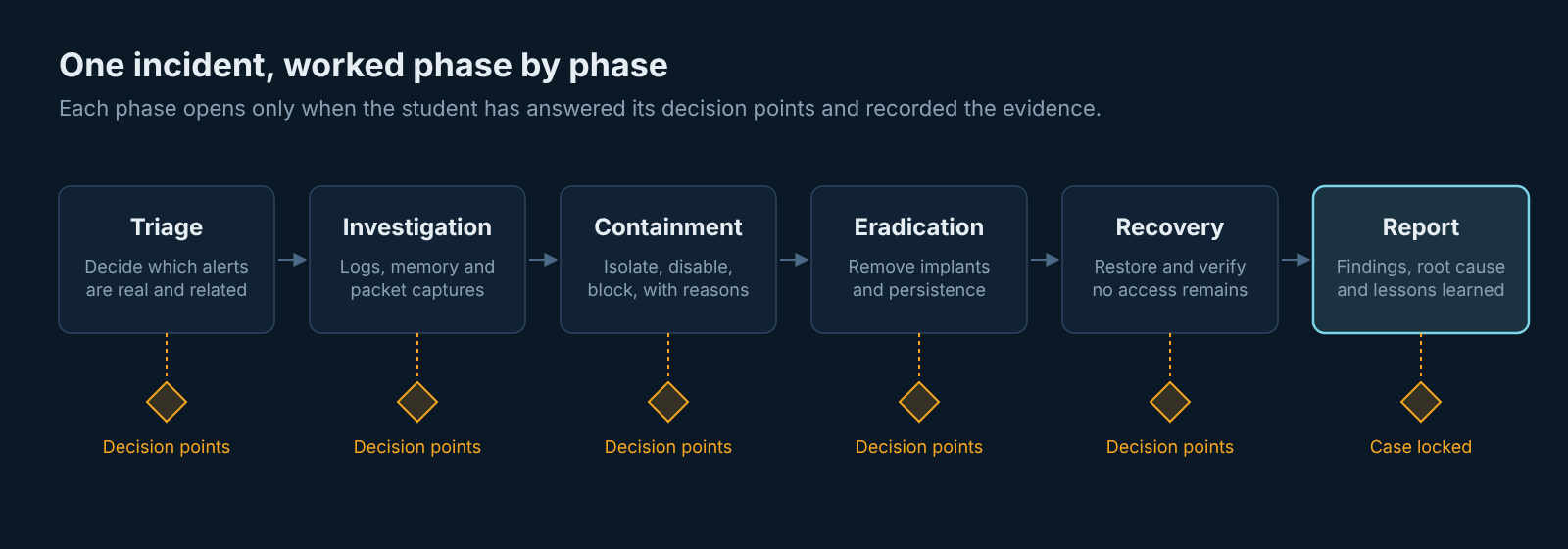
- Triage. Read the brief, face the queue, and sort it: what is real, what is a duplicate, what belongs together. Escalate the real alerts into a case.
- Investigation. Leave the alerts behind and go to the raw evidence. Search the logs, follow a stolen account from host to host, capture memory and traffic, and run
pslist,netscan,svcscanortshark conversationsuntil the implant, its command-and-control channel and its hiding places give themselves away. - Containment, eradication and recovery. Isolate hosts, disable accounts, block infrastructure, remove persistence, rotate credentials, and explain every choice. Some actions fail the first time, just as they do on a real network.
- Reporting. Write it up for two audiences, the executives and the engineers. Closing the case locks it and issues a verification code, so the report cannot be quietly edited afterwards.
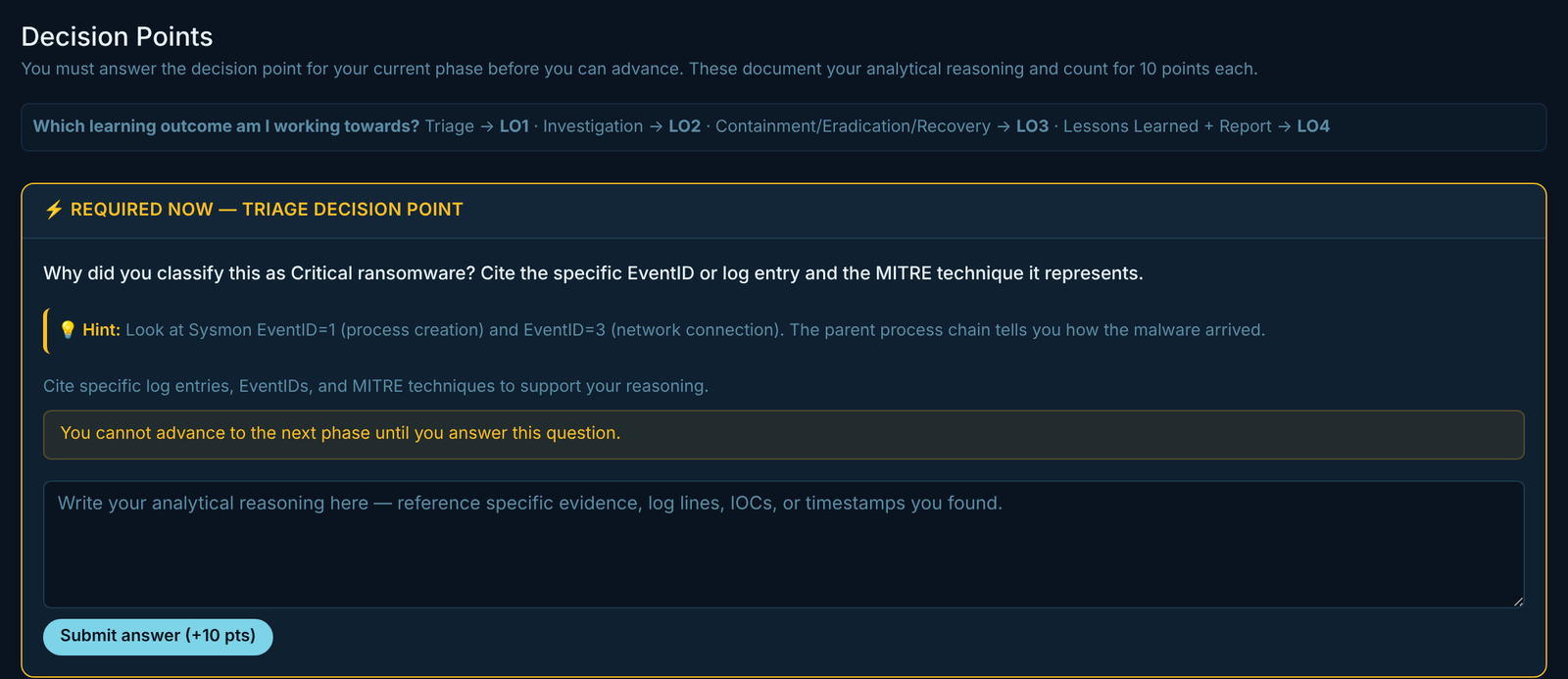
Every phase is guarded by decision points: open questions such as “Why did you classify this as critical? Cite the log entry.” or “What is the earliest attacker activity you found, and where?” No answer, no next phase.
The traps I set
The best part of building scenarios is hiding the ordinary among the alarming. Alongside the real attack, students meet activity that looks exactly as suspicious and is completely legitimate:
- a backup job moving gigabytes across the network in the middle of the night
- domain controllers replicating directory data between themselves, which looks a lot like an attacker stealing it
- a scheduled job running as root on the VPN gateway, renewing a certificate
- the same malicious event reported by several different sensors, which is one finding and not several
Nothing on screen says which is which. The answers sit where they would in a real organisation: in a change record, an asset inventory, a backup schedule, a firewall rule name. A student who dismisses an alert has to be able to point at the record that justifies it. So does a student who escalates one.
What students walk away with
| Skill | Where they practise it |
|---|---|
| Separating signal from noise | A queue full of duplicates, attack stages and convincing false alarms |
| Correlation | Endpoint, Active Directory, firewall, proxy, email, Microsoft 365, database and change records, with no ready-made timeline |
| Memory forensics | Process trees, command lines, sockets, services, Run keys and files recovered from memory |
| Network analysis | Flows, conversations, DNS and timing in packet captures |
| Indicator enrichment | Threat intelligence where reputation alone will mislead you |
| ATT&CK mapping | Techniques on alerts and on the student’s own timeline |
| Response decisions | Choosing, and defending, containment and recovery actions |
| Communication | A report that works for a board and for a sysadmin |
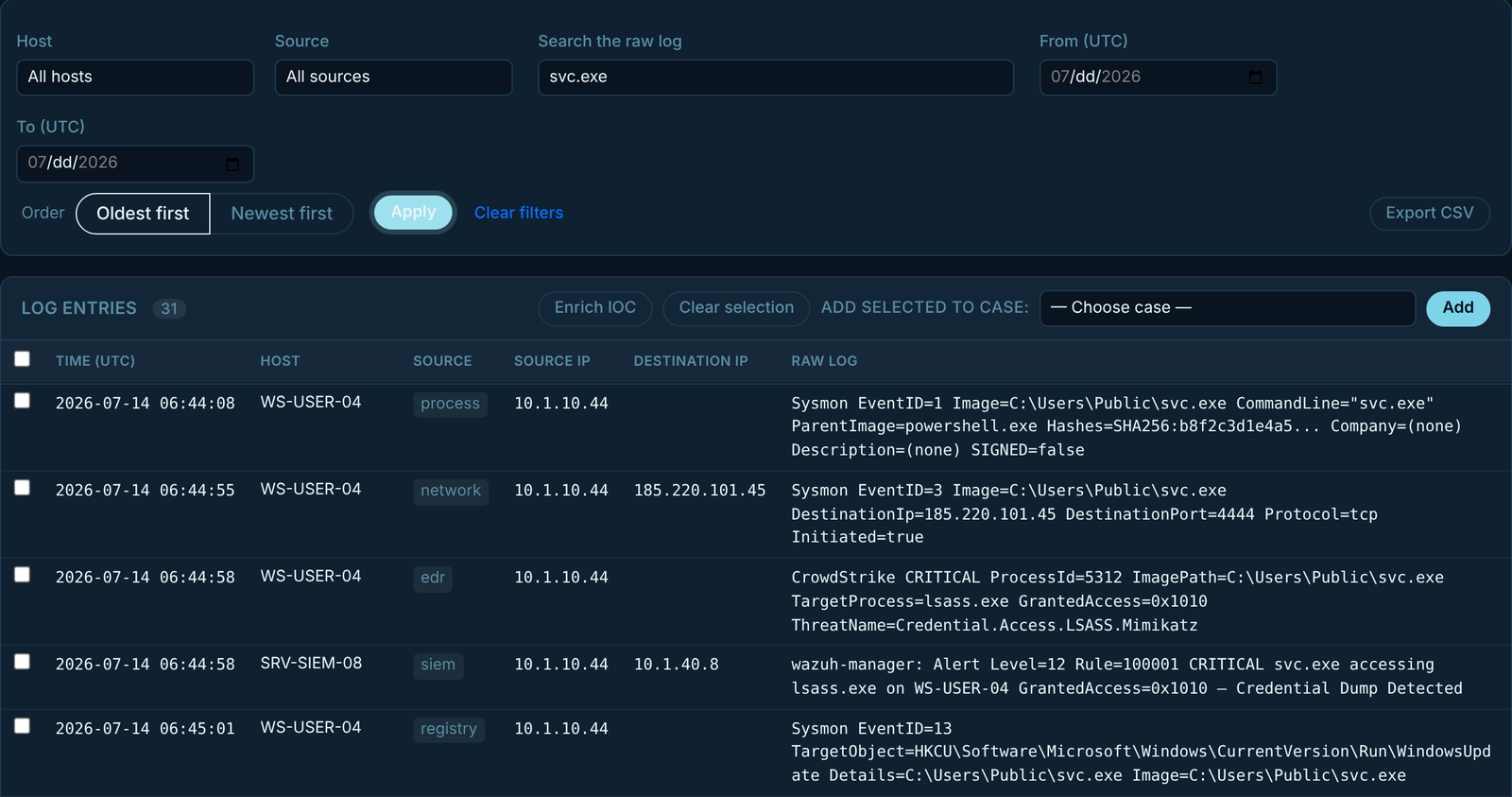
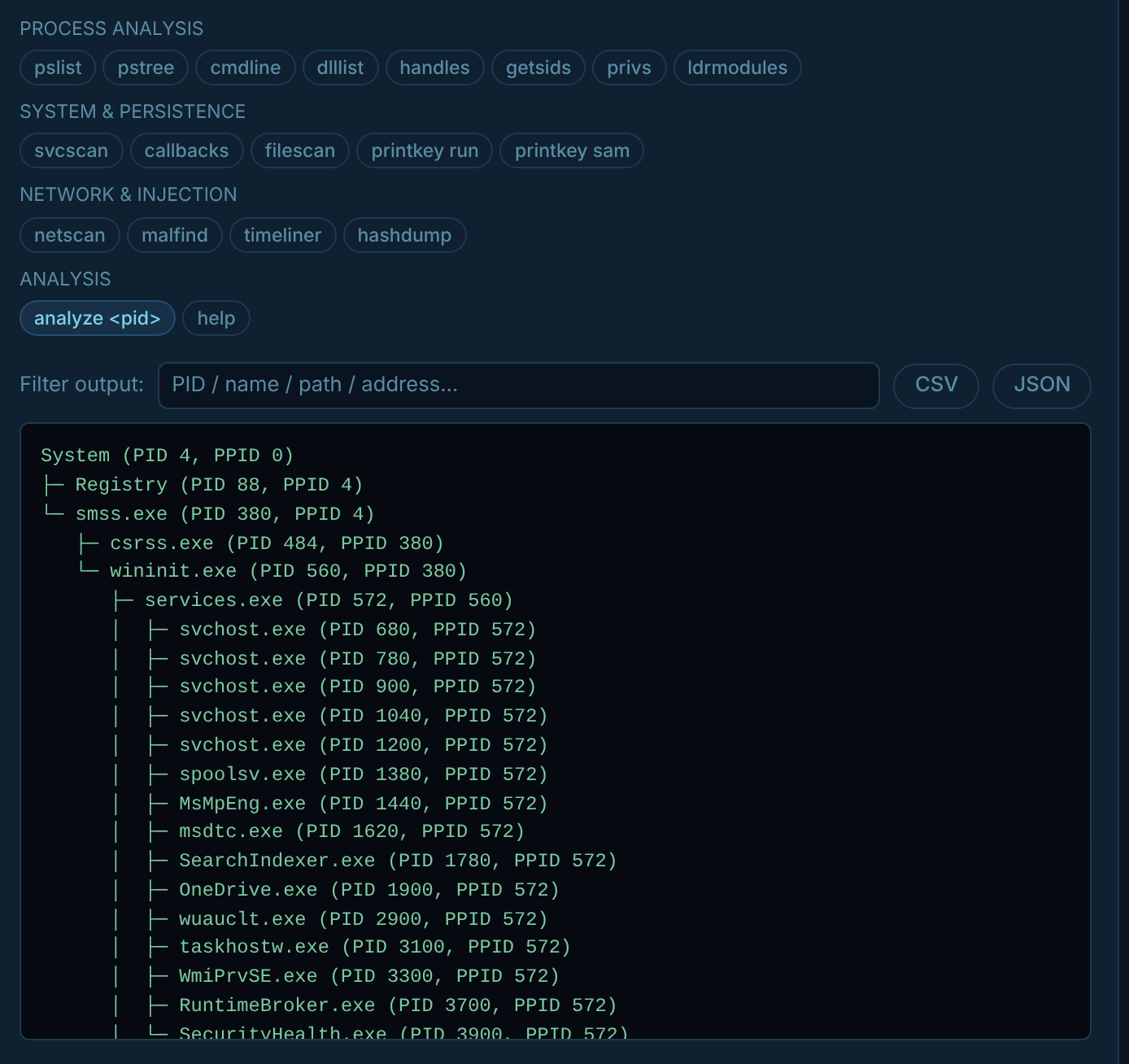
pstree against a captured memory image.Everything comes back to evidence. Logs say what the system recorded, not what an analyst thought about it. A process list shows a path and a parent, not a red warning label. If a student says a host is compromised, they show me the line that proves it.
Practice mode and exam mode
Nordvakt runs in two modes on the same code.
Practice mode is generous. There is a coach to ask, guidance for each phase, live defence exercises, and a class chat where students from every team can compare notes while I drop in announcements. The teaching scenarios cover ransomware, a software supply-chain compromise and an insider threat, plus a fundamentals track for earlier-year students.
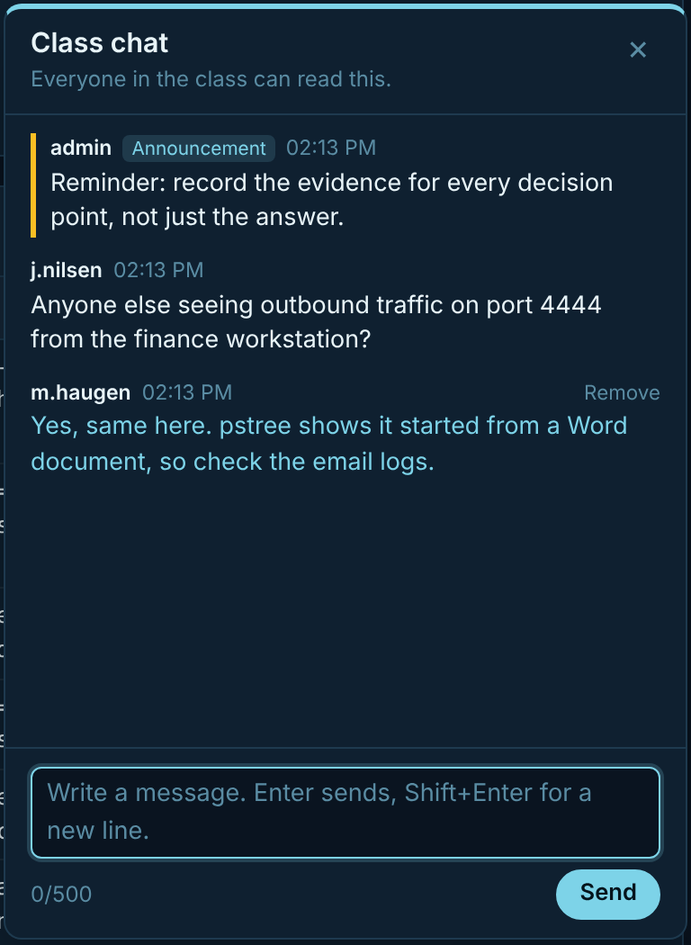
Exam mode takes the stabilisers off. The platform becomes one fixed, closed incident:
- each student works alone in their own sandbox
- the coach, hints and live injects are switched off
- nothing interprets the evidence for them, and host pages show raw data only
- threat intelligence comes from the scenario, so everyone sees the same picture
- students cannot message each other, though my announcements still reach them
- the points disappear
That last one surprised me. Points reward activity, and activity is not understanding. Worse, they leak answers: if dismissing a harmless alert earns points and dismissing a real one costs them, the score tells the student which was which. So I mark the work, not the platform. I read the decision-point answers, the evidence each student chose, their timeline and their report.
What building it has taught me
The software was the easy part. Making the evidence honest was the hard part.
- Harmless alerts have to look as alarming as the real ones. If the legitimate activity is labelled, or worded more gently, students learn to read the wording instead of the evidence.
- Raw data should never explain itself. A log line that says “outside the backup window” has answered the question the student should have been asking. Context belongs where a real SOC finds it: change records, asset inventories, directory data.
- Every source has to tell the same story. Logs, memory, packet captures and threat intelligence must agree on times, hosts, sizes and owners. A student who finds a contradiction should be finding the attacker’s, not mine.
- Scenarios need testing like software. Every assessed incident has an automated check that the attack chain is complete and solvable, and a scripted run-through of a whole student case before it goes live.
The platform also records how each student worked: which hosts they opened, which commands they ran, how their thinking changed from one decision point to the next. That trail is often more useful for feedback than the final report.
Nordvakt keeps changing every time I watch a class use it. If you teach incident response, run a SOC, or simply enjoy hunting for the one alert that matters, I would love to compare notes.